
How can I choose the best automated gate system for outdoor perimeter security?
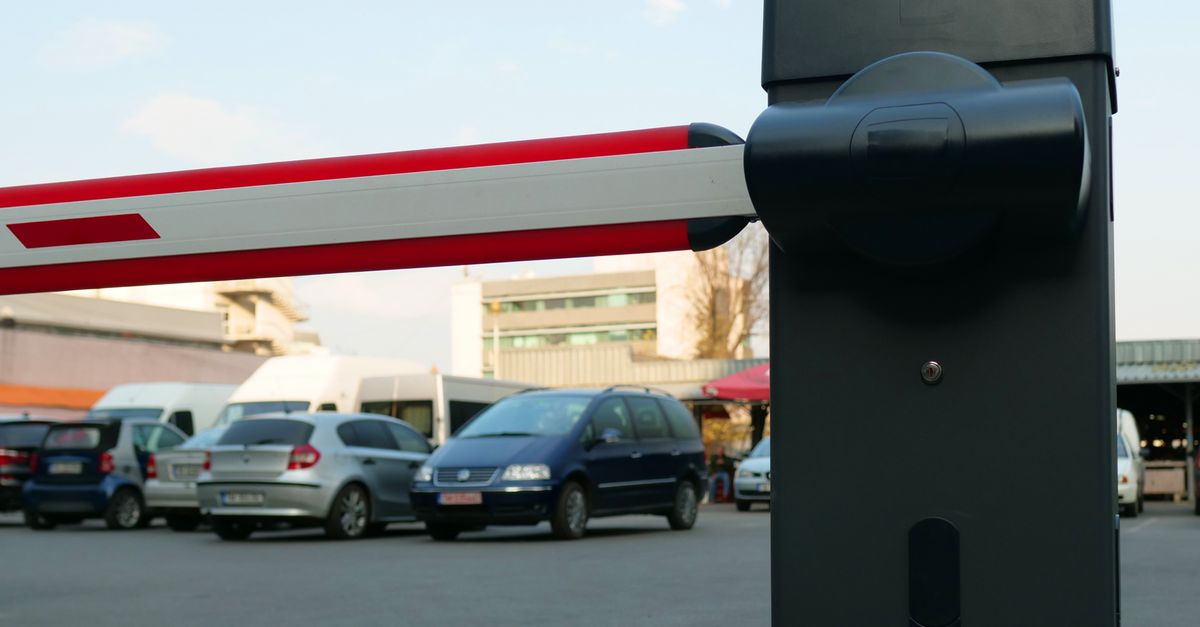
Choosing an automated gate system is more than a cosmetic upgrade; it’s a critical component of modern outdoor perimeter security. In 2026, homeowners and business owners alike rely on advanced perimeter control to protect property, ensure privacy, and integrate with smart home ecosystems. Beyond the initial installation, these systems become part of a broader network that monitors activity, alerts residents or managers to suspicious events, and can even coordinate with other devices such as lighting or surveillance cameras.
Understanding the Role of Automated Gate Systems
An automated gate system replaces manual gates with motorized doors that open and close via remote controls, keypads, or smartphone apps. It enhances security by limiting unauthorized access while providing convenient entry for authorized users. For outdoor perimeter security, the gate is often the first line of defense against intruders, vandals, and even large vehicles.
In my experience, a well‑designed automated gate can reduce burglary attempts by up to 70% compared with an unguarded fence. That reduction translates into tangible savings in insurance premiums and peace of mind for families and businesses alike.
Key Takeaway: The right automated gate balances security, convenience, and integration capabilities. Look for systems that offer multiple access methods and fail‑safe mechanisms.
Key Features to Evaluate
The market offers a wide range of features. Prioritize those that align with your specific needs:
Access Control Options
- Remote keypads and PIN entry for on‑site use.
- RFID or NFC cards for quick, contactless access.
- Smartphone app integration via Wi‑Fi or cellular connectivity.
- Voice assistant compatibility (Alexa, Google Assistant).
Security Enhancements
- Fail‑safe mode that keeps the gate open during power outages.
- Automatic locking after a set time period.
- Motion sensors and cameras that trigger alerts.
- Tamper alarms for forced entry attempts.
Durability & Materials
- Weather‑resistant aluminum or steel frames.
- UV‑protected paint or powder coating to prevent corrosion.
- High‑strength hinges and rollers rated for heavy loads.
Choosing a system with these features ensures you’re investing in long‑term security rather than a quick fix. For instance, a gate that includes an integrated camera can provide live footage directly to your phone, while fail‑safe mode guarantees the gate remains open if power is lost during an emergency evacuation.
Comparing Manual vs Automated Gates
Manual gates are inexpensive but require physical effort and provide limited control. Automated gates offer:
- Consistent operation regardless of weather or time of day.
- Remote monitoring and logging of entries.
- Enhanced deterrence through visible technology.
- Potential to integrate with existing security systems.
However, automated gates add upfront cost and require power. Evaluate whether the added convenience justifies the investment for your property type. For example, a residential driveway may benefit from an automated gate that allows quick access for delivery trucks, whereas a small retail shop might prefer a manual gate if foot traffic is low.
Cost Considerations and ROI
The total cost of ownership includes installation, maintenance, and energy consumption:
- Initial purchase: $2,000–$6,000 depending on size and features.
- Installation labor: $1,200–$3,000 for professional setup.
- Annual maintenance: $100–$300 for routine inspections.
- Energy usage: <$50 per year if solar‑powered; otherwise minimal.
While the upfront cost is higher than a simple fence, automated gates can increase property value by 5–10% and reduce insurance premiums. In many cases, ROI materializes within 3–5 years through lower security breach costs. Some homeowners also take advantage of local tax credits for installing energy‑efficient or smart security devices, which can offset the initial outlay.
Selecting a Vendor: Best‑Rated Fence Contractors
Not all contractors are equal when it comes to automated gate installation. Look for:
- Accreditation from industry bodies such as the National Association of Home Builders (NAHB).
- Positive reviews on platforms like Google and Angie’s List.
- A portfolio that includes recent projects similar in scale to yours.
- Warranty coverage on both hardware and installation workmanship.
I’ve worked with several fence contractors over the years. The ones who delivered the best results were transparent about pricing, offered 24/7 support, and provided a detailed warranty covering both mechanical parts and software updates. When you interview potential vendors, ask for references and visit existing installations if possible; this gives you firsthand insight into their workmanship and customer service.
Installation Process and Maintenance
- Site Survey: Measure gate width, height, and clearance. Verify power supply and internet connectivity.
- Design Approval: Finalize the gate type (sliding, swinging, vertical) and access control layout.
- Installation: Secure frame to foundation, install motor, rollers, and safety sensors.
- Programming: Set up user codes, integrate with existing security systems if applicable.
- Testing & Commissioning: Run multiple cycles, test fail‑safe mode, confirm remote access works.
During the site survey, pay special attention to the power source. A dedicated 120 V circuit is typically sufficient for most residential gates, but commercial sites may require a higher capacity or backup generator. Also, ensure that the Wi‑Fi signal reaches the gate; if coverage is weak, consider installing a mesh network node near the gate.
Maintenance is straightforward: lubricate moving parts annually, check battery backups every six months, and update firmware as new versions become available. Most systems can be monitored remotely to alert you of any malfunction before it becomes a serious issue. Seasonal inspections are recommended in winter when ice or snow can affect sensors and motors.
Security Integration and Smart Home Compatibility
Modern automated gate systems should integrate seamlessly with broader security ecosystems:
- Alarm Systems: Gate status can trigger or silence alarm zones.
- Cameras: Video feeds can be routed to a central hub or smartphone.
- Smart Home Hubs: Voice commands can open the gate during scheduled times.
- Geofencing: The gate automatically opens when your phone approaches.
When selecting a vendor, confirm that their system supports these integrations. Compatibility reduces future upgrade costs and streamlines daily operations. For example, a gate that communicates over Z‑Wave can be added to an existing smart hub without needing a separate bridge device.
Common Mistakes to Avoid
- Ignoring Power Backup: Without an uninterruptible power supply (UPS), your gate may lock during outages. A UPS with at least 30 minutes of backup ensures the gate remains functional until power is restored.
- Underestimating Clearance: Vehicles or large equipment can jam the gate if clearance is insufficient. Measure all potential obstacles and add a safety margin to accommodate unexpected traffic.
- Neglecting Software Updates: Security patches are vital to protect against new vulnerabilities. Set up automatic updates whenever possible.
- Choosing Low‑Cost Models: Cheap gates often lack durability, leading to frequent repairs. Opt for reputable brands that offer robust warranties and proven track records.
- Failing to Secure Remote Access: Weak passwords or unencrypted connections expose the gate to hacking. Use strong, unique credentials and enable two‑factor authentication if available.
Avoid these pitfalls by investing in proven hardware, robust software, and professional installation. The long‑term benefits far outweigh the short‑term savings of cutting corners.
What features do you consider essential for an automated gate system on your property?


